
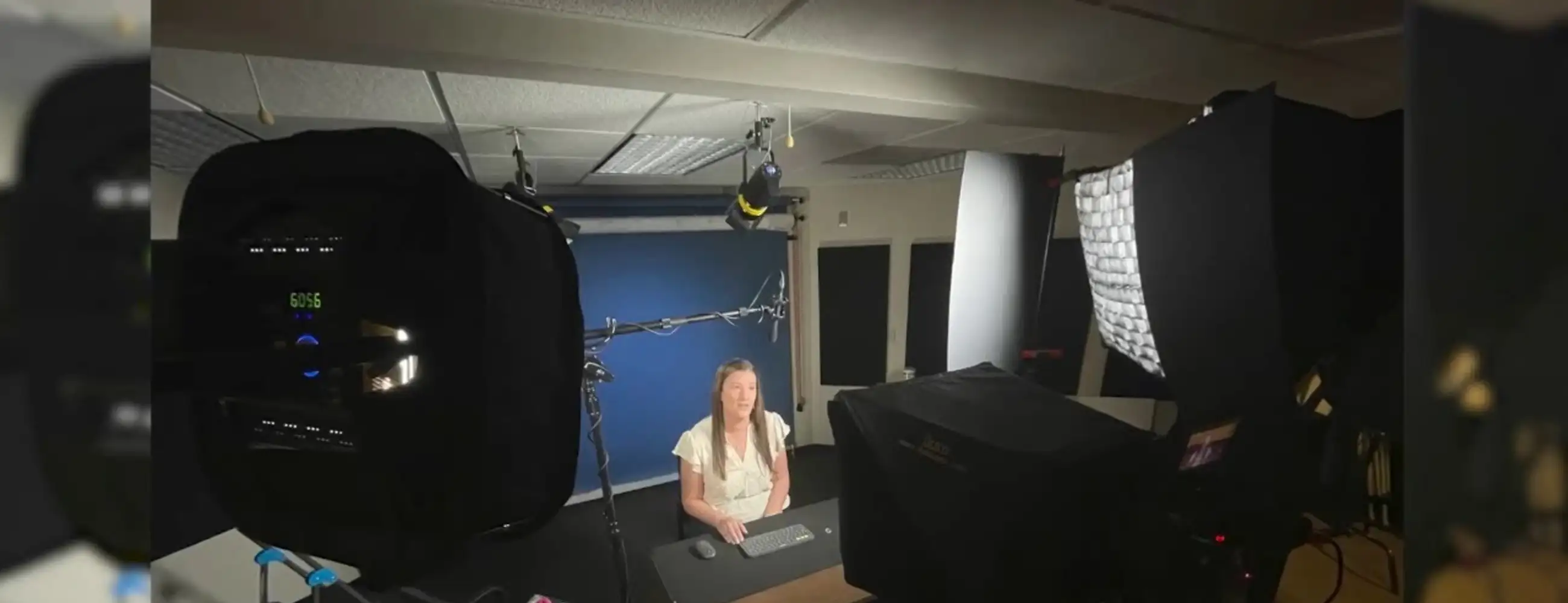
The video studio is designed to capture high-quality recordings of lectures for SSW faculty. The studio is best suited for single presenter lecture capture, presentations or online class instructional materials. Other projects, such as two person interview setups, may be accommodated and will be reviewed on an individual basis. Reservations for the lecture recording studio are available 1 PM - 5 PM Monday - Friday or by special arrangement depending on staff availability.
The recording studio is located in SSWB 2686.
A separate, reservable podcast studio is available with audio and video recording capabilities. The podcast studio requires a brief orientation for first time users during the hours 9 AM - 5 PM Monday - Friday. Reservations for the podcast studio are available 9 AM - 9 PM Sunday - Friday and 9 AM - 4 PM Saturday except for holidays.
The podcast recording studio is located in SSWB B696A.
Recording Format Options
Option 3: Slides Only
This option will include a short segment with the presenter on camera for the introduction as well as a short on camera segment for the conclusion. The rest of the presentation will be entirely narrated, full screen slides.
Recording Studio Notes & Tips
Prior to Shoot
Use 16x9 Widescreen Format for Your Slides
It is preferable to have your slides in "widescreen" 16x9 format rather than the more square 4x3 format. If you have 4x3 slides and are unable to convert them to 16x9, we can make them work, but we may need to use a background for a wide-format screen.
PowerPoint File Format Is Preferred
PowerPoint file format is preferred. Exporting Google Slides as a PowerPoint deck is fairly straightforward. Be sure to review all the slides in advance, as exporting sometimes alters the fonts or formatting. Let us know if you have any problems. We can usually work with the Google slides if necessary, especially if you only want to see your slides on the prompter (Please note that Google Slides Presenter View, however, is not as compatible).
Embedded Media Cannot Be Played During Recording
You will not be able to play any embedded videos or media in your slides during the recording process. Due to copyright restrictions, we cannot include any protected third-party content in the lecture video without the proper documentation. If you want to refer to third-party media, please add a link or placeholder image on your slide for clarity. You can also instruct viewers to pause and note the video title and URL or include them separately in Canvas. If you provide us with this information, we can create a title slide with the necessary details during post-production. The Center for Academic Information provides information on navigating copyright and protected third-party content issues.
Learn more about third-party copyright requirements and best practices.
Send Slides in Advance If Possible
If possible, it would be helpful to receive your slides a few days before your session. That will give us time to cue them up for testing on the prompter and hopefully catch any snags or adjustments ahead of time. At the very least, please send them to us the day before your presentation.
Bring Water and a Snack
We advise bringing a water bottle that can be easily opened and closed. You may also wish to bring a small snack or two (granola bar, apple slices, etc) in case you need a quick energy boost.
Day of Shoot
We Typically Film Against a Medium-Dark Blue Background
We typically film against a medium-dark blue background, focusing on a head-and-shoulders framing. Muted colors, jewel tones, medium solid colors, and pastels generally look great on video. It’s best to avoid wearing very dark or very bright shirts or tops, such as pure black or pure white. However, you can wear a white or black top if it is layered under a contrasting jacket, vest or sweater. Please steer clear of super vivid or neon colors, especially hot reds, oranges, and pinks, as they tend to "glow" on camera.
Avoid Tight Checks, Stripes, and Fine Patterns
Larger patterns are ok, but avoid tight checks, stripes, and fine patterns as they will exhibit a "dancing" moiré effect on video.
Wear Whatever Bottoms and Shoes Are Comfortable
Wear whatever pants/skirt/shorts and shoes feel most comfortable. We won't see them!
Avoid Noisy or Reflective Jewelry
Please avoid noisy or jangly jewelry, watches, and similar items, as they can interfere with clean audio recording. Additionally, try to avoid especially large, sparkly or reflective jewelry; smaller diamond earrings are acceptable.
Avoid Glasses If Possible, But They're Totally Fine If Needed
If possible, avoid wearing eyeglasses, as they can create unwanted shadows and reflections. However, if you need them, prefer to wear them or feel more comfortable with them, that's perfectly fine. We will adjust the lighting to minimize distractions as much as possible. Keep in mind that the prompter isn't very large, so using larger text on your slides will improve readability.
Bring Blotting Products for Shine
Video lights can amplify shiny skin. We can provide tissues for blotting your face before recording. If you have a good matte face powder or any preferred blotting product, please bring it.
You May Sit or Stand While Recording
You are welcome to sit or stand for the recordings. You might prefer standing if it helps you maintain your focus and energy. However, if it is a longer lecture, we advise sitting as your feet and legs may get tired, which could lead to excessive shifting and movement. Since our camera view is limited to the head and upper torso, any unnecessary movement can be distracting and problematic. We want you to feel comfortable, so please choose whichever position you prefer. If you can let us know your preference in advance, we can adjust the lighting accordingly, which will save us time at the top of your recording session.